A simple tool for automating repetitive tasks
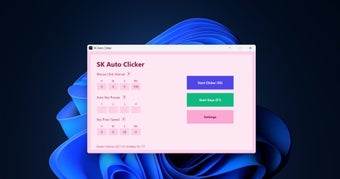
SK Auto Clicker is a lightweight automation utility that helps users eliminate repetitive tasks by automating mouse clicks and keyboard inputs. Designed for productivity, software testing, and routine office tasks, it offers customizable automation settings while maintaining a clean interface and low system resource usage.
Automate work with precision
SK Auto Clicker improves workflow efficiency through dual automation for mouse and keyboard actions, along with customizable timing intervals ranging from hours to milliseconds. Its intuitive interface makes setup straightforward, allowing users to automate repetitive processes, reduce manual effort, and improve consistency across various everyday computing tasks.
While the application is highly effective for repetitive automation, it may require some initial configuration to achieve the desired workflow. Beginners might spend time adjusting intervals and actions before obtaining optimal results. However, its flexibility, lightweight design, and dependable performance make the setup worthwhile.
For greater productivity
SK Auto Clicker delivers a reliable automation experience by combining customizable mouse and keyboard controls with an efficient, resource-friendly design. Although first-time users may need to fine-tune automation settings, the app remains an excellent solution for streamlining repetitive tasks and improving productivity across different work environments.